A business number on a personal phone
Keep business calls separate and under control, without asking staff to carry a second device.
Mobile PBX
Our mobile PBX is an operator-independent phone system that runs on any mobile phone, with no hardware to install. Group numbers, opening-hours routing, IVR menus, queues, recording and reporting are all managed from a browser — and CRM integration ties every call to the right customer.
Video
A short video showing how the mobile PBX, the phone system and the integrations work in practice.
Features
The mobile PBX brings business calling, availability, administration and integrations into one service. It suits companies looking for a mobile PBX, a flexible phone system, modern SIP trunking or Microsoft Teams voice.
Keep business calls separate and under control, without asking staff to carry a second device.
Routing rules, availability status and answering logic keep every call moving to the right place.
A simple, uncluttered view that works day to day for sales, support and teams on the move.
Abandoned calls are logged as missed, returned to the queue and tracked in reports — and callers can choose to "press 1 to leave a callback request".
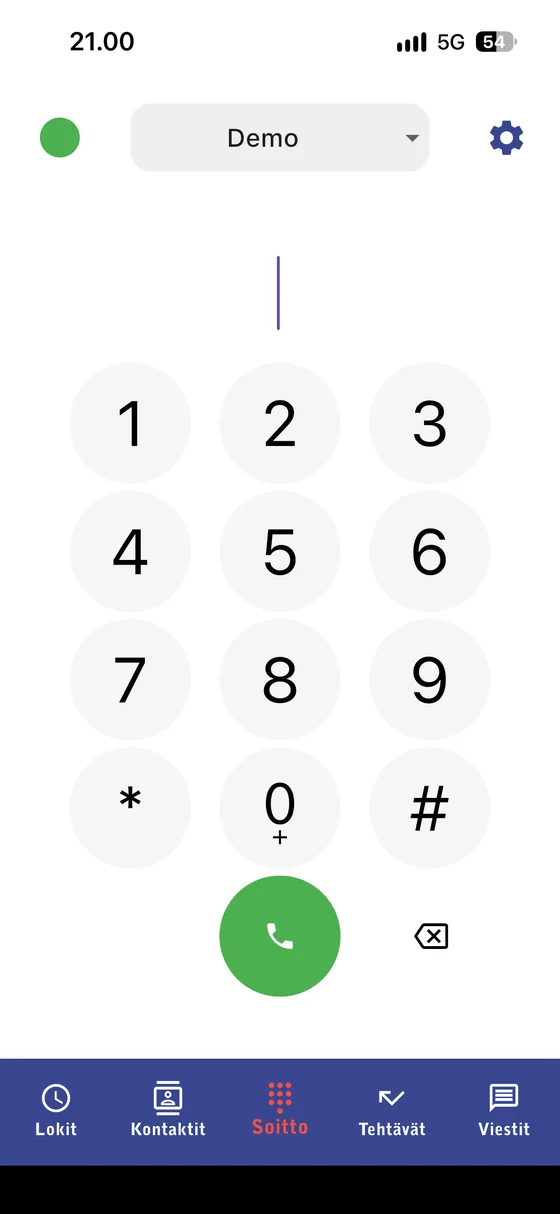
The mobile app puts the PBX in your pocket: make and transfer calls, set your availability, use group numbers, review the call log, and work with callbacks, reports and messaging. Available for Android and iOS.
A SIP trunk connects the public telephone network to whichever phone system you use. Many CRM and ERP platforms have a switchboard built in, and add-ons such as call recording, IVR menus, service numbers, SMS or a custom integration can be layered on top.
You are notified of an incoming fax by email, or the fax itself is delivered to an inbox. Inbound faxes can be routed to a person, a team or a printer, and are always stored in the service's inbox as well. Outbound faxes are sent from the browser, and multifunction printers can be configured to use the service too.
We answer calls on your behalf and handle callback requests, appointment bookings and service requests. The answering service is open 24/7.
Send and receive text messages from different systems. Subject to certain conditions, the same number can be used for voice calls as well. Messages travel by email or through the API.
We connect Microsoft Teams to the public telephone network using certified AudioCodes Direct Routing. It can be deployed with your existing numbers ported across or with new ones, and the mobile PBX fills in the call-handling features Teams lacks. GBC is a Microsoft partner specialising in O365 services.
Calls can be recorded, transcribed into text and condensed into a summary. You can revisit a conversation by reading it rather than listening to the whole call, and transcripts can be pushed into your CRM through the API.
Portal
Users, routing, queues and reports are all managed from the browser portal. Below are the nine main views and what each one is for.
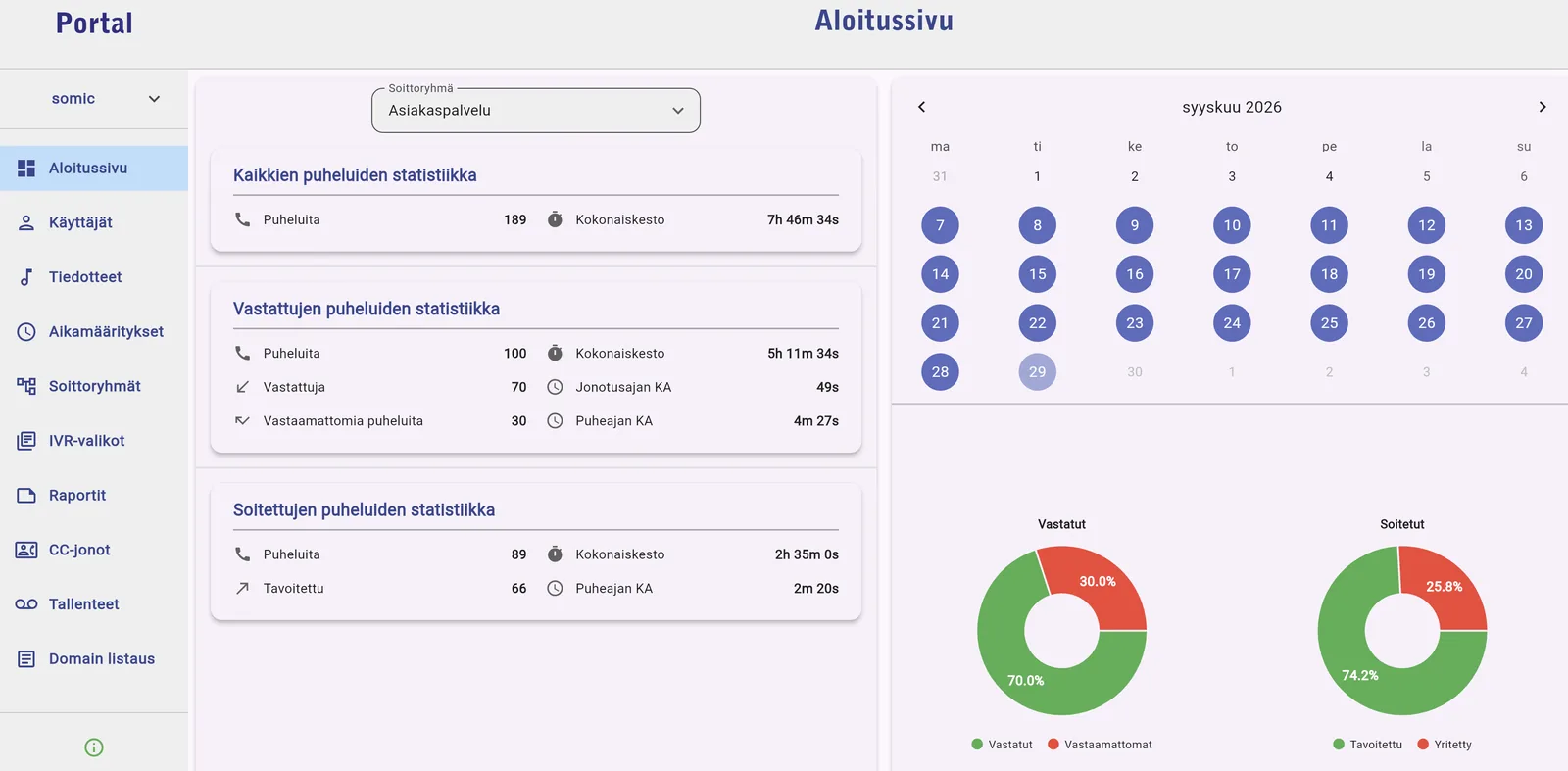
The dashboard shows the key metrics for a chosen group in one view: outbound call volume, total and average duration, plus inbound volume, minutes, average queue and talk time, and answered versus missed calls.
Users are added and removed in seconds, so organisational changes stay current without heavy administration.
Set opening hours and exception days once, and calls are routed correctly both during and outside business hours.
Announcements are generated in several languages straight from text, so consistent messaging for each market is quick to produce — no studio session required.
Add and remove group members, activate or deactivate users, and choose the ring strategy: simultaneous, random or sequential.
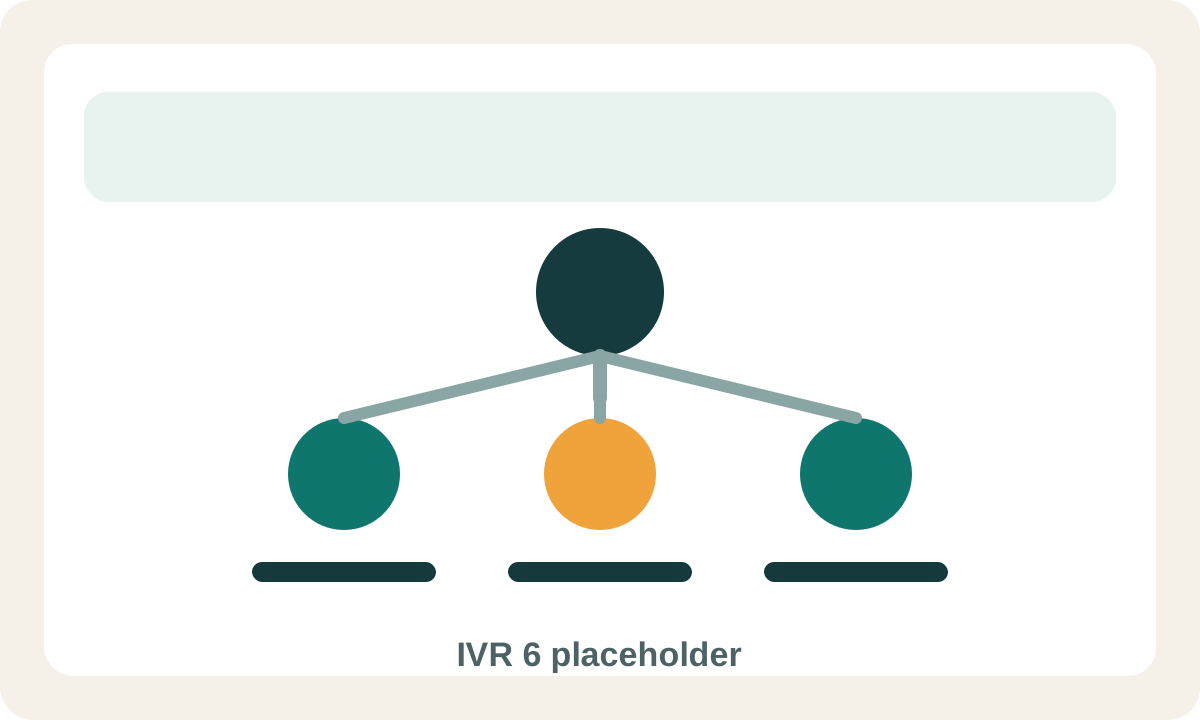
The IVR builder creates menu paths such as "press 1 for sales", so calls go straight to the right team or person.
Reports show the same statistics at the level of a single group member, so workload and performance can be tracked in detail.
The queue view shows active calls and queue members, and agents can log in and out as the situation demands.
The recordings view holds call recordings alongside transcription and summary tools, so conversations can be revisited without listening to the whole call.
Integrations
The mobile PBX is not just a phone system — it is the integration that carries call data straight into the systems and support tools your business already runs on.
When a call comes in, the caller's details are there immediately. Phone, call log and caller information work as one, which makes responding easier on every contact.
Recordings, transcripts, summaries and basic call data can all be written into your CRM, so sales and support stay current without manual logging.
Pipedrive, HubSpot, Zammad, Huoltokanava, Salesforce and Jira can be connected to the phone system so that calls attach to the right customer, ticket or deal.
If you run something else, it connects through our REST APIs without a large project. See the API and integrations page for details.
Benefits
The benefits show up in the business, not just in the feature list.
Callers reach the right person faster, and get a consistent experience no matter who answers.
People can work from the office, the field or home without losing the business number or being harder to reach.
Numbers in several EU countries and multilingual announcements mean the same PBX serves new markets too.
Next step
Get in touch by email or phone and we will work out which setup fits your business.
FAQ
A mobile PBX is a business phone system in which your calls, availability, group numbers and call routing all work without a traditional physical switchboard. It suits mobile work and distributed teams particularly well.
Yes. The mobile PBX is operator-independent, so it works regardless of which operator your staff use. Your existing phone numbers can be ported into the service as well.
A SIP trunk connects the public telephone network to your phone system. It gives you flexible voice connectivity, lets you keep your current numbers, and extends to CRM, ERP or Teams environments.
Yes. Microsoft Teams voice is delivered with Direct Routing: Teams connects to the public telephone network and the mobile PBX fills in the call-handling features Teams does not provide.
Recorded calls can be transcribed into text automatically, with a summary generated alongside. Transcripts and summaries are readable in the portal and can be pushed into your CRM through the API.